- tags
- #help #system
- order
- 30
- description
- the full view on pro and master: spec, design, implementation and tests side by side
Help: the full system view¶✎ edit
Pro and master projects. Hero and creator projects have the small view: SystemView.
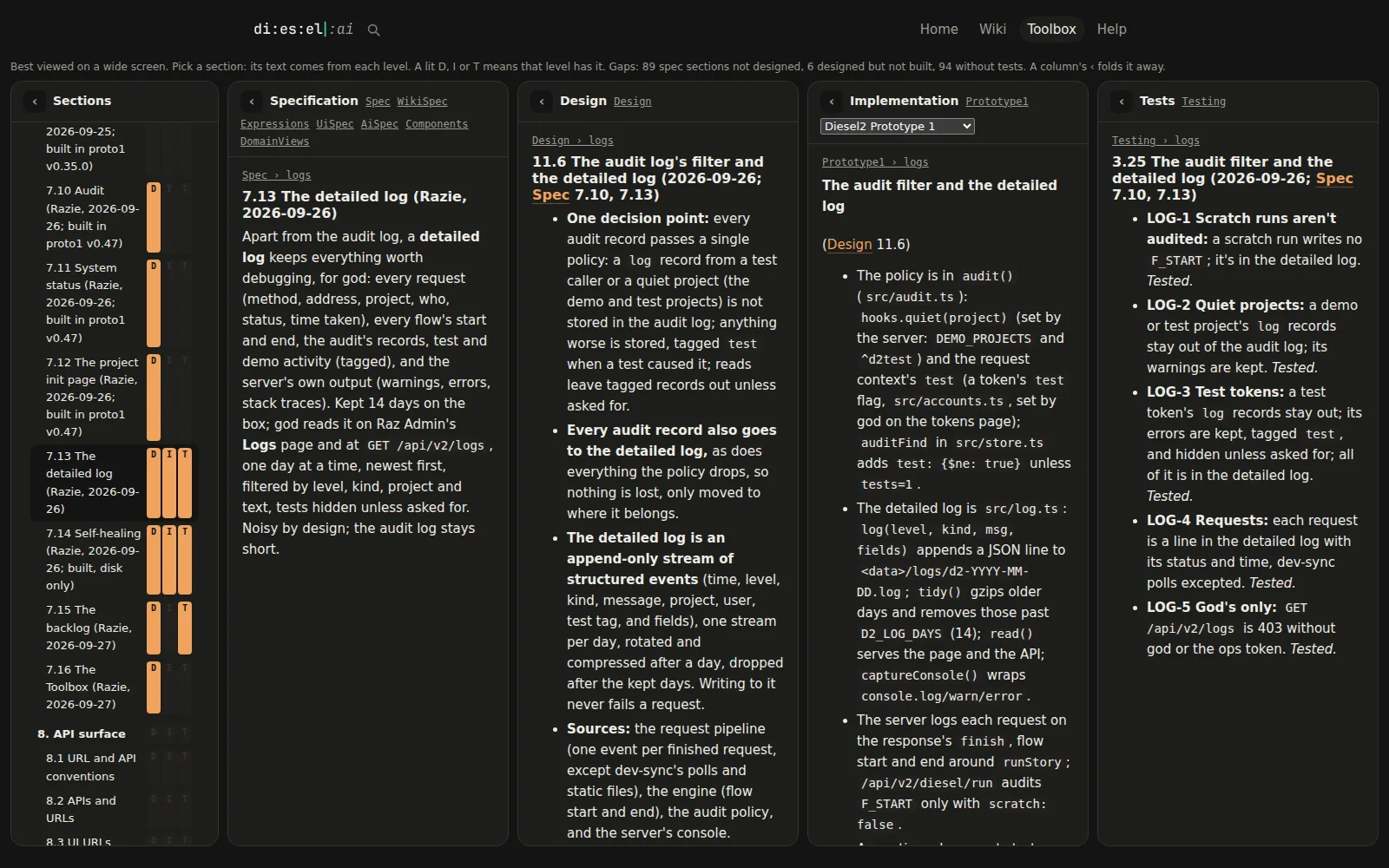
What you're looking at. Every section of the project lined up across its levels: the Spec (what it should do), the Design (how it works), each implementation (where the code is) and the tests, with the gaps counted.
Where each column comes from.
- Sections are the ids on the headings (
{#vault}) and the behaviour codes on spec lines (^vault-3); the same id in every document lines them up. - Spec and Design are the topics tagged for them (and a project's
Spec, the maker's Specification from when it was hero or creator); implementation topics (pick one at the top) say where each part is built; Tests lists the design tests and code tests that cover each code, and their status (tested, gap, not built). - The markers D, I, T show which levels a section has; a missing one counts as a gap.
Behind the scenes. The server keeps a small index, built once per topic version: one row per section and code, which topic has it at each level, and a hash. Your browser builds the page from it and asks for a section's text only when you open it. The page checks for changes every few seconds and, with auto-scroll on, walks you through what changed. Links like /system?show=^vault-3 open straight to a behaviour.
Components (/components, a Toolbox tile) shows the same sections as cards, one per functional area: where it is in the spec, design, implementation and tests, what's missing, and the project's domain; GET /api/v2/system gives the same as JSON, for your AI.
Related: the Feature list (/features) reads the same index per behaviour; Pipeline for how work moves.